A free YouTube Music player for Windows
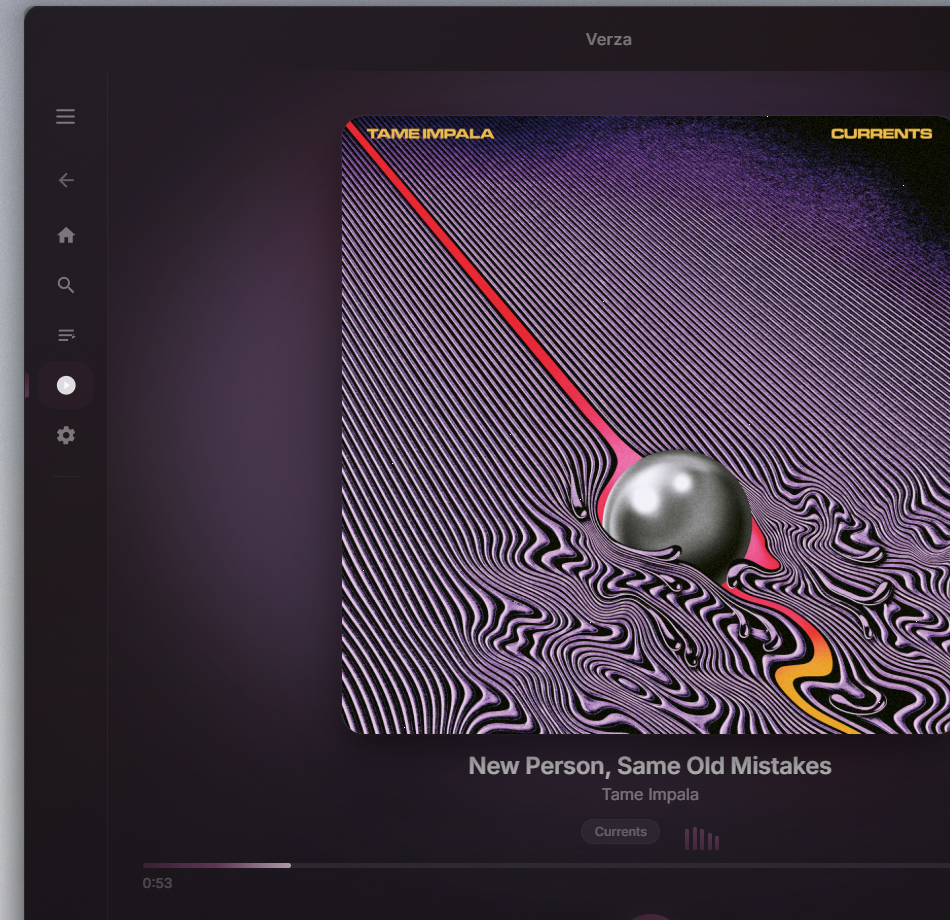
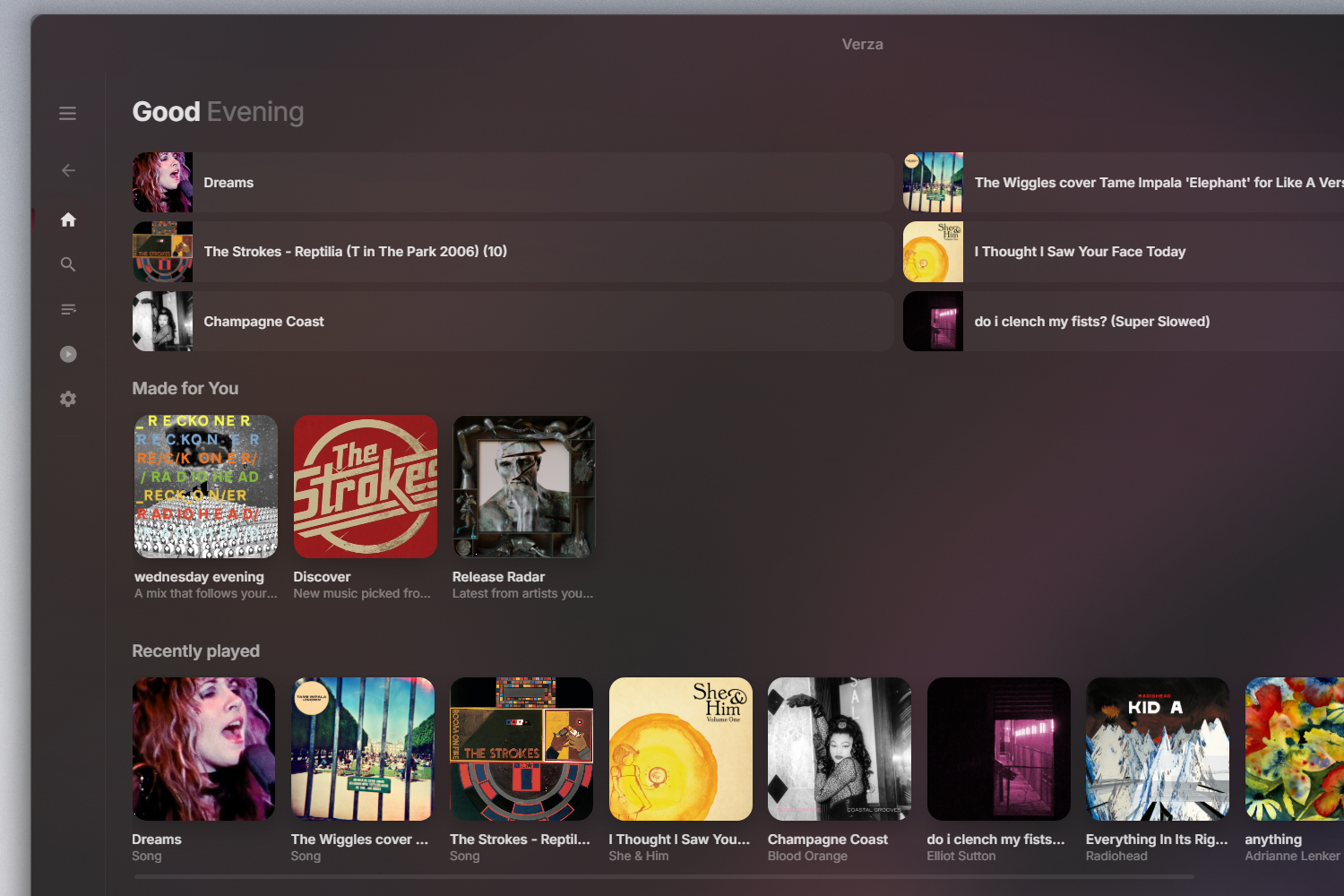
Verza Next plays the full YouTube Music catalogue on your desktop — with offline downloads, time-synced lyrics, a 10-band equalizer and a translucent liquid-glass interface. No ads, no tracking, no subscription.
Download for WindowsFree · Windows 10 & 11 (64-bit) · Updates itself
Screenshots
What Verza Next does
- Offline downloadsSave a song, an album or an entire playlist to your PC and play it with no internet connection.
- Time-synced lyricsKaraoke-style lyrics that light up line by line, in time with the track.
- 10-band equalizerPer-band gain with a bass shelf, plus crossfade, playback speed and output-device selection.
- Discovery radioA radio that stays in the genre you started from but only plays songs you have never heard.
- Your SoundPrivate listening insights — top artists, when you listen, and your comfort songs — computed on your device.
- Import your libraryBring playlists over from Spotify, Apple Music, Deezer, TIDAL, Soundiiz or a JSON export.
- Liquid-glass interfaceReal Windows 11 acrylic, six accent palettes plus a cover-adaptive theme, light and dark.
- Desktop-nativeSystem tray, media keys, global hotkeys, launch at startup, sleep timer and notifications.
How to install Verza Next on Windows
- Download the installer (
VerzaNext_x.y.z_x64-setup.exe). - Run it. Windows SmartScreen may warn you because the installer is not code-signed — choose More info → Run anyway.
- Open Verza Next and either sign in for your library, or skip it — full-length playback works either way.
Verza Next updates itself: it checks on launch and installs new versions on restart.
Frequently asked questions
Is Verza Next free?
Yes — completely free, with no ads, no tracking and no subscription. It is a personal project shared for personal use.
Do I need a YouTube account?
No. Search, full-length playback, radio, lyrics and downloads all work signed out. Signing in only adds your personalised home feed and your YouTube Music library.
Can I download music for offline listening?
Yes. Download a song, an album or a whole playlist, and it plays with no connection.
Does it work on Windows 11?
Yes — Windows 10 and 11 (64-bit), with native Windows 11 acrylic translucency.
Why does Windows show a SmartScreen warning?
The installer is not code-signed (certificates cost hundreds a year), so Windows warns about any unrecognised installer. Choose More info → Run anyway.
Is there a macOS or Linux version?
Not yet. Windows 10 and 11 today.